MySAU, Brightspace and SAU email: where your clinical work lives
Spring Arbor runs its online courses in D2L Brightspace, which you reach through the MySAU Portal, and it sends official notices to your SAU email. Some SAU web pages still call the course site Blackboard; that label is out of date. SAU doesn't publish which system holds clinical paperwork, so your practicum course and faculty have the final word.
Get your placement plan
Tell us your Spring Arbor track and where you live. A placement advisor replies with what your preceptor and site need to look like for Spring Arbor to approve them.
01The systems at a glance
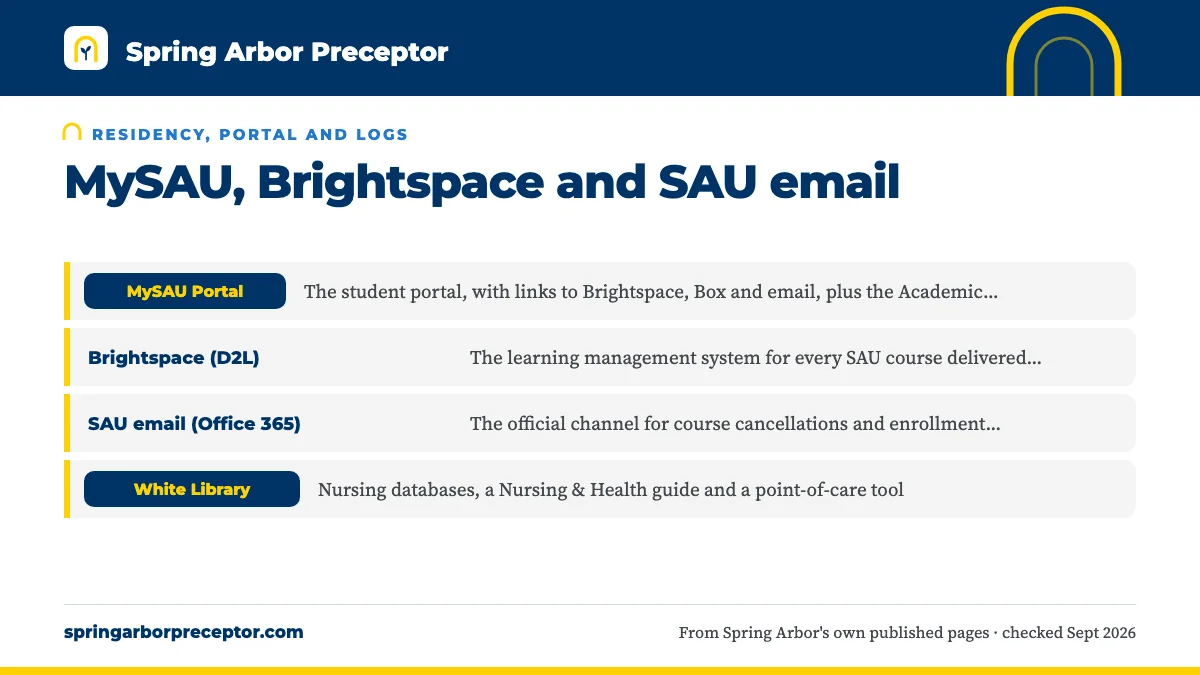
Four SAU systems show up in a clinical student's week. The table sets out what SAU says each one is for, and the last column is candid about how little SAU publishes on clinical use.
| System | What SAU says it is for | Clinical role SAU publishes |
|---|---|---|
| MySAU Portal | The student portal, with links to Brightspace, Box and email, plus the Academic Planner and registration | None stated |
| Brightspace (D2L) | The learning management system for every SAU course delivered online | Practicum courses run here; SAU doesn't say which forms go through it |
| SAU email (Office 365) | The official channel for course cancellations and enrollment changes | None stated |
| White Library | Nursing databases, a Nursing & Health guide and a point-of-care tool | UpToDate Nursing Tool for clinical questions |
Box, SAU's cloud storage, also opens from MySAU. SAU's description of how its NP courses are taught mentions Zoom and iHuman virtual patient cases, so expect both in your track.
02MySAU is the front door
Think of MySAU as the hallway rather than a room. SAU's IT office describes the portal as the place that links to Brightspace, Box and email, and the catalog sends students there for the Academic Planner and registration. The 2026-27 Student Handbook adds account statements and directory-information privacy holds.
For clinicals, the Academic Planner is the useful piece. It is where you see which semester your practicum courses fall in, and that tells you when a preceptor must be approved and when the four-week paperwork clock begins. Look again whenever your course plan changes, because a shifted practicum moves every other date with it.
The portal lives at mysau3.arbor.edu; older SAU documents also give mysau.arbor.edu. Staff email, the portal and the library still run on arbor.edu addresses even though SAU's public site moved to springarbor.edu.
03Brightspace, not Blackboard
SAU's online courses run on D2L Brightspace. The old SAU Online address now opens a Brightspace login with an SAU single sign-on button, and SAU's IT office calls Brightspace the learning management system for all courses delivered online. Sign-in passes through Microsoft 365, so multifactor prompts come from your SAU Microsoft account.
The current-students page on SAU's online site still labels the same link Blackboard, and older SAU articles describe Blackboard as the online portal. SAU hasn't published when it changed platforms. If a guide, an old email or a classmate tells you to look in Blackboard, read it as Brightspace.
Your practicum is an online course like any other, so its syllabus, announcements and assignments sit in Brightspace. Read the practicum course shell the day it opens. It is the likeliest place to find that course's own instructions for hour logs, evaluations and due dates.
04SAU email is the official record
The 2023-24 catalog says SAU sends course cancellations and enrollment changes by SAU email, and the account runs on Office 365. Anything that touches your clinical course, from a moved start date to a missing document, is likely to reach you there first.
Use the same address when you write to a preceptor or clinic manager about an SAU rotation. It shows the site you are an enrolled SAU student and keeps the whole exchange in one account you can forward to faculty if a question comes up. SAU's clinicals article suggests emailing your preceptor before the first day to confirm place, time and dress.
Never move messages that contain patient details to a personal account. HIPAA training sits on SAU's compliance list, and the habit starts with your inbox.
05What SAU does not publish
Some answers you will want are not on SAU's public pages at all. Knowing which ones saves hours of searching.
- Where clinical paperwork is submitted. The catalog names clinical agreement, affiliation and preceptor verification forms, but not the system or inbox. See clinical paperwork.
- Which tracker, if any, holds your compliance records. The 2023-24 catalog says only that you keep current records with the nursing department, and no vendor is named on any SAU page.
- Where hours are logged. Students report using Typhon; SAU's pages don't name it. See clinical hour logs.
- Evaluation forms and site-visit tools, which we cover on clinical evaluations.
For each gap, the practicum course, your program director and your Student Success Coach are the people who know. Our who to ask page sorts out which of them handles what.
06Library tools for clinical days
The White Library's nursing guide lists an UpToDate Nursing Tool for point-of-care questions, alongside CINAHL Complete, MEDLINE with Full Text, Ovid Nursing Journals, Ovid Emcare and PubMed. Off campus, you sign in through the library's proxy with your SAU account.
If UpToDate won't open, the library page tells nursing students to contact the Nursing Department. The 2023-24 catalog adds that distance students can have print books shipped to them and can chat with a librarian at any hour.
Test your UpToDate sign-in at home before your first clinical day, when you have time to sort out a login problem, rather than in an exam room with a patient waiting. The same databases carry the evidence you will need when a preceptor asks you to justify a plan.
07A setup checklist before your first practicum
Do this in the weeks before your first clinical course opens. None of it is complicated, but all of it is easier at a desk than on a clinic day, and a login problem found now is a quick fix instead of a lost clinical morning.
- Sign in to MySAU and Brightspace from the device you will carry to clinicals, and finish the Microsoft 365 multifactor setup.
- Check the Academic Planner for the semester your practicum begins.
- Add SAU email to your phone so notices about course changes reach you between patients.
- Save the SAU Help Desk details: helpdesk@arbor.edu and the service portal at serviceportal.arbor.edu.
- Test the library proxy and UpToDate from home.
- Keep your own copy of every clinical document in Box or another secure folder.
Questions Spring Arbor students ask
Is Spring Arbor online on Blackboard or Brightspace?
Brightspace. SAU's online course login now serves D2L Brightspace, and SAU's IT office names Brightspace as the system for all online courses. Some SAU web pages still use the Blackboard label for the same link, which is leftover wording. SAU hasn't published the date it switched.
How do I log in to Brightspace at SAU?
Use the SAU single sign-on button on the Brightspace login page, which you can reach from MySAU or SAU's current-students page. Sign-in runs through Microsoft 365, so multifactor prompts come from your SAU Microsoft account. The IT knowledge base has a Brightspace MFA article if the prompts fail.
Where do I upload my preceptor paperwork at Spring Arbor?
SAU doesn't publish the route. The 2023-24 catalog names the clinical agreement, affiliation and preceptor verification forms and a four-week lead time, but not where they are submitted. Your practicum course, your program director or your Student Success Coach can tell you the current process.
Does SAU give nursing students access to UpToDate?
Yes. The White Library's nursing guide lists an UpToDate Nursing Tool, alongside CINAHL Complete, Ovid Nursing Journals and other databases. Off campus you sign in through the library proxy with your SAU account. If access fails, the library tells you to contact the Nursing Department.
Who fixes MySAU or Brightspace problems?
The SAU Help Desk handles technical problems for online students. Email helpdesk@arbor.edu or open a ticket through SAU's service portal, which also hosts knowledge-base articles such as the Brightspace MFA guide. Questions about course content go to your instructor instead.
Related pages
Last checked 2026-09-24
We check these pages against Spring Arbor's own published sources. SAU's nursing faculty and current catalog have the final word.
More preceptor leads, sooner, for your SAU clinicals.
Tell us your Spring Arbor track, where you live and when your clinical course starts. We look for a preceptor and site that fit SAU's rules for your track and help you get the paperwork in on time.
- Matched to your track: FNP, AGPCNP, PMHNP, PNP, Nurse Educator or DNP
- Clinical agreement, affiliation and preceptor verification forms ready early
- In your home state, near where you live
Start your placement plan
A placement advisor replies with what an SAU-ready preceptor and site look like for you.